NYE2025.01 - Racks, Shot timing processing, pyromusicals and more
So it's been a minute since I've posted about this. The hardware side has been pretty solid for a while now - the receivers work, the cue modules work, everything talks to each other pretty durably. Good timing as tariffs still have ground manufacturing new hardware to a halt, but thankfully there is a lot of work left on the software/firmware side.
 Easily runs as many receivers as I want... For the uninitiated, each can have up to 128 cues, each of which has full remote (reports back to the UI) continuity checking and per-receiver telemetry. Red = Is part of the show, doesnt have continuity, Green = Is part of the show, has continuity, Yellow = Firing, Purple = Part of the show, already fired, Blue = Continuity, but not part of any show. They do a little fun flash when everything has fired.
This is a test running a show that rapidly cycles through all cues - pretty to watch.
Rack Editing - Finally
One of the things that I'd still been doing manually was using fused lines to represent the fused sections on my mortar racks. Also, I didnt really have a great way to catalog all the shells I had and the various colors... so organizing them was pretty "reach into the pile" haphazard and was tough to make something cohesive.
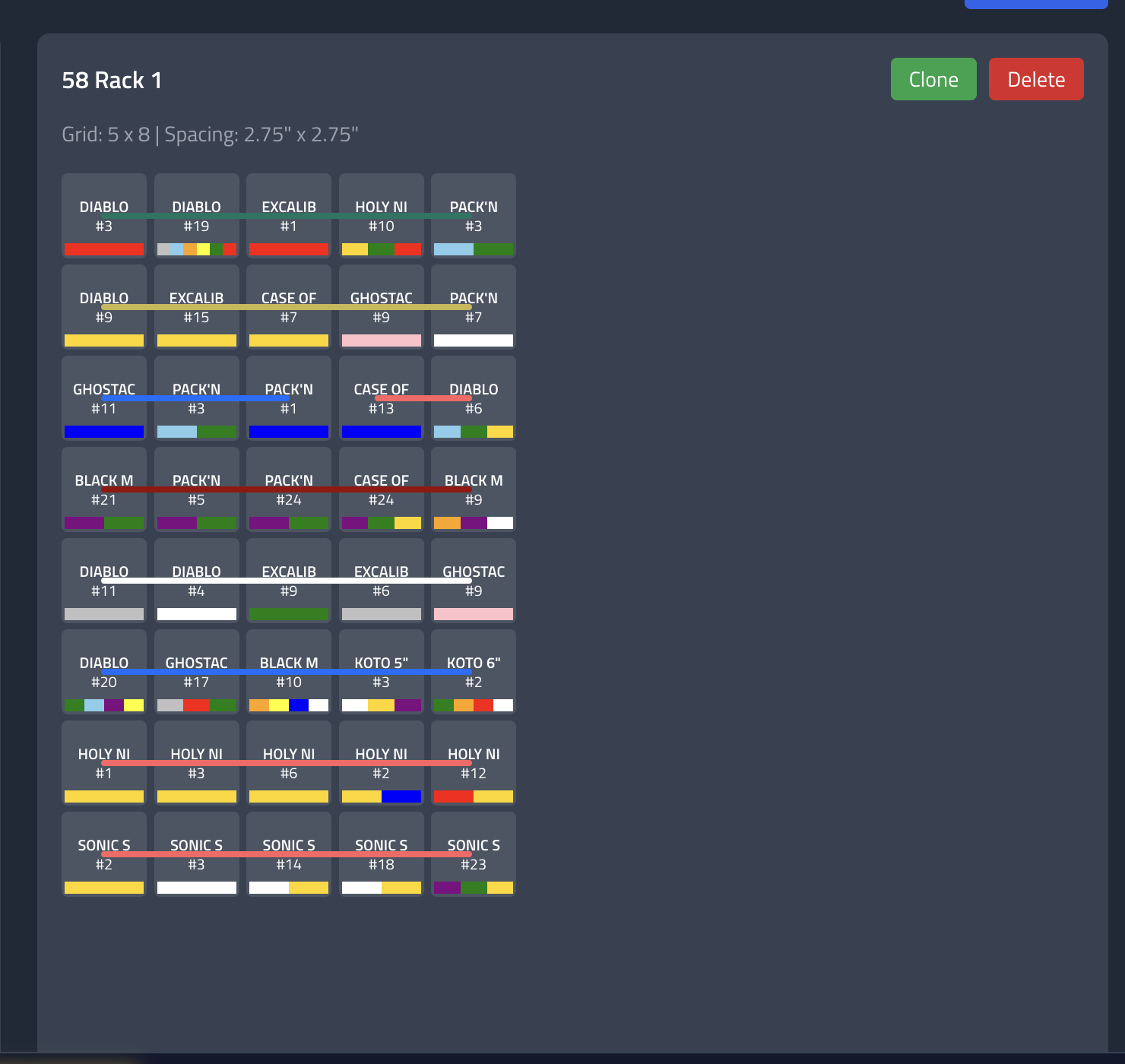
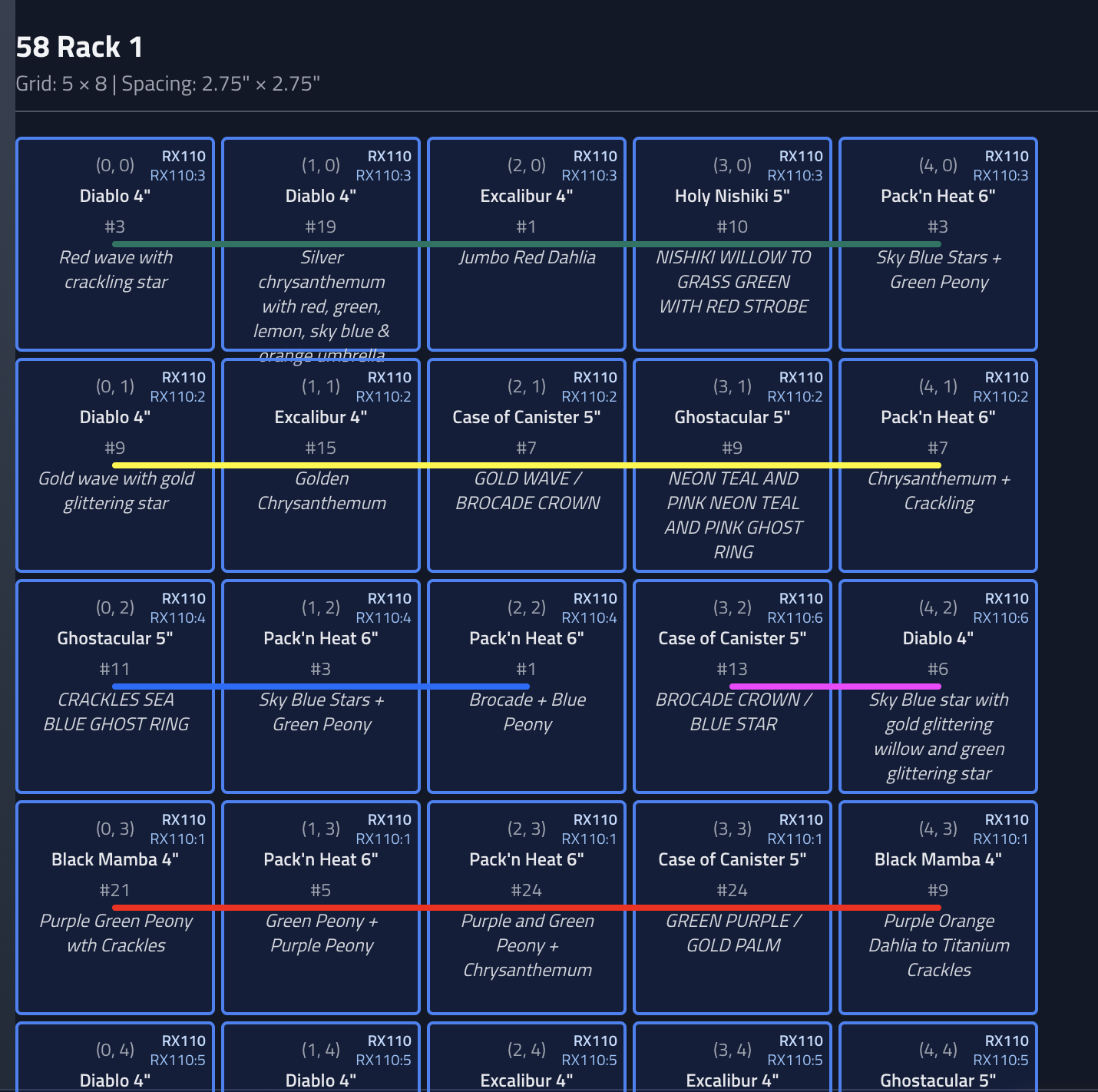
You can now create racks with custom dimensions, drag shells onto specific cells, and visually build fuse lines. The system automatically calculates delays based on fuse burn rates. Want a 10x10 rack? Done. Want to fuse a line of shells together? Command click your adjacent rack grid spots (tubes), select your fuse type, done. The visual representation makes it way easier to see what's going on.
The rack system integrates with the show builder too - you can assign racks to receivers and the system handles all the cue mapping. No more manually counting cells and figuring out which receiver cue corresponds to which physical position.
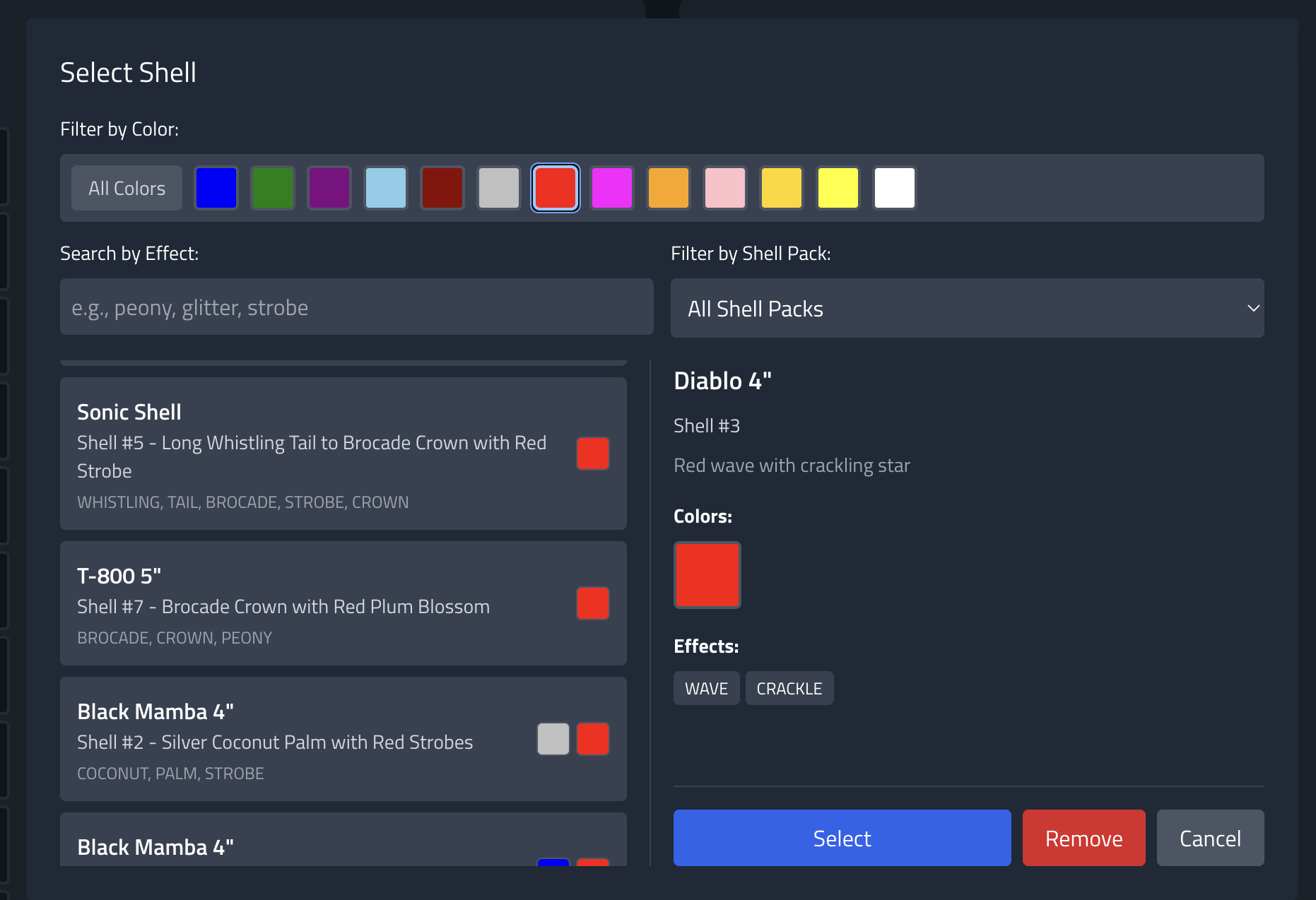
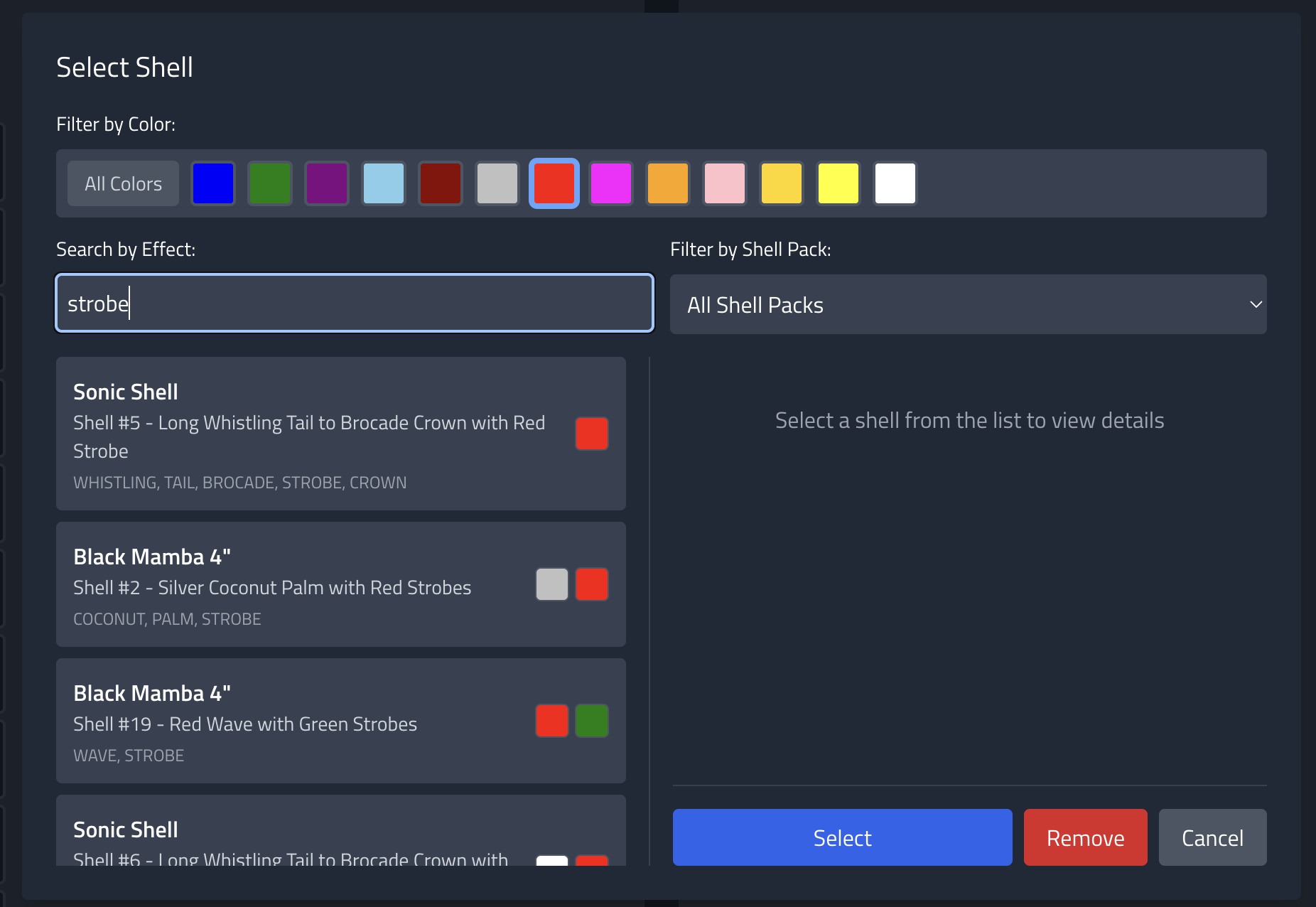
But here's the thing - when you're assigning shells to rack spots, you want to be able to filter by color or effect. "I need a red shell here" or "I want something with strobes there." But if your inventory doesn't have colors and effects mapped, you're stuck manually looking through descriptions.
So I built an auto-processor for shell description lists. You paste in a list of shell descriptions (like you'd get from a manufacturer or distributor), and it automatically extracts colors and effects, maps them to standardized types, and creates inventory entries. Now when you're building a rack, you can filter shells by color or effect and pick exactly what you need.
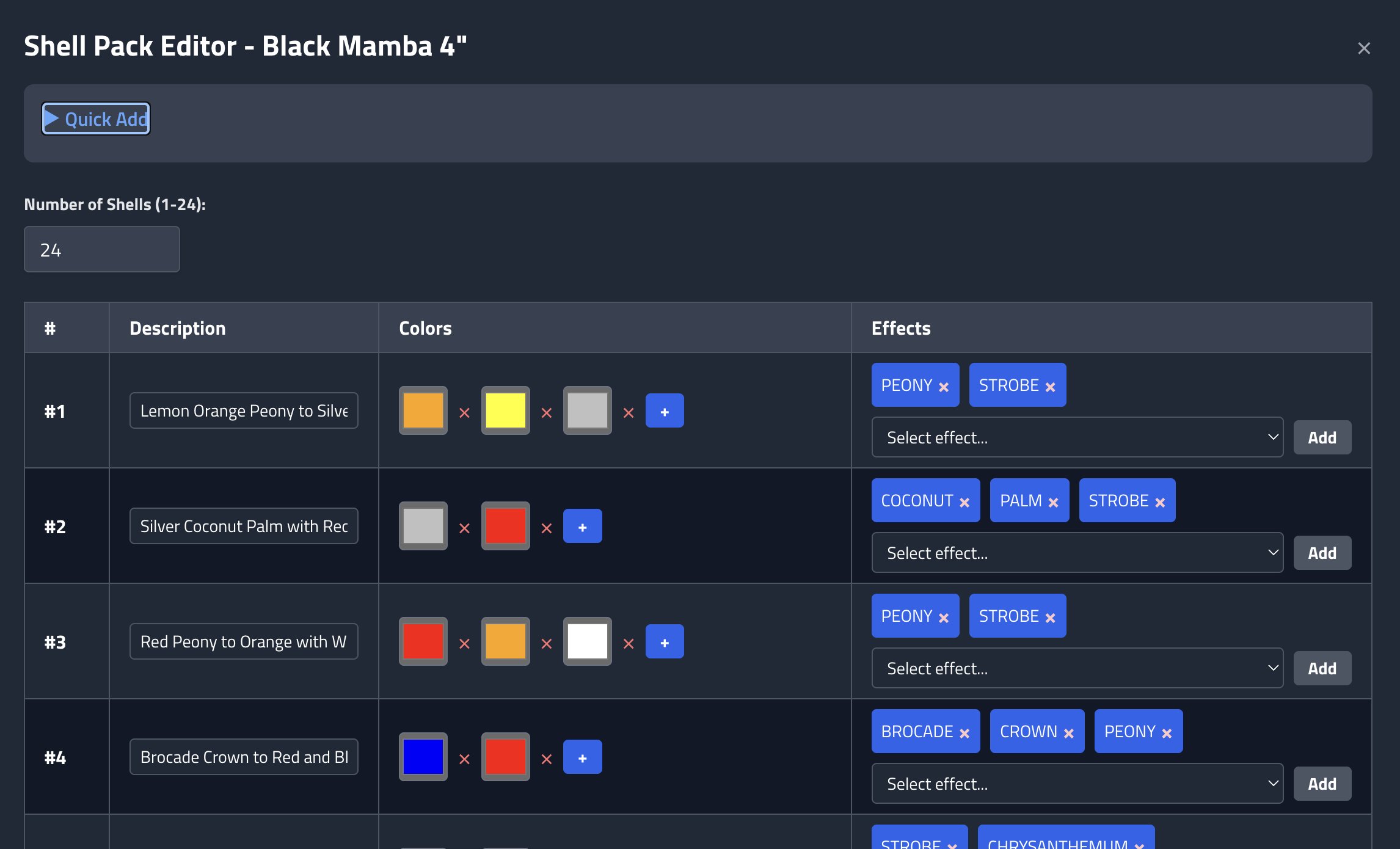
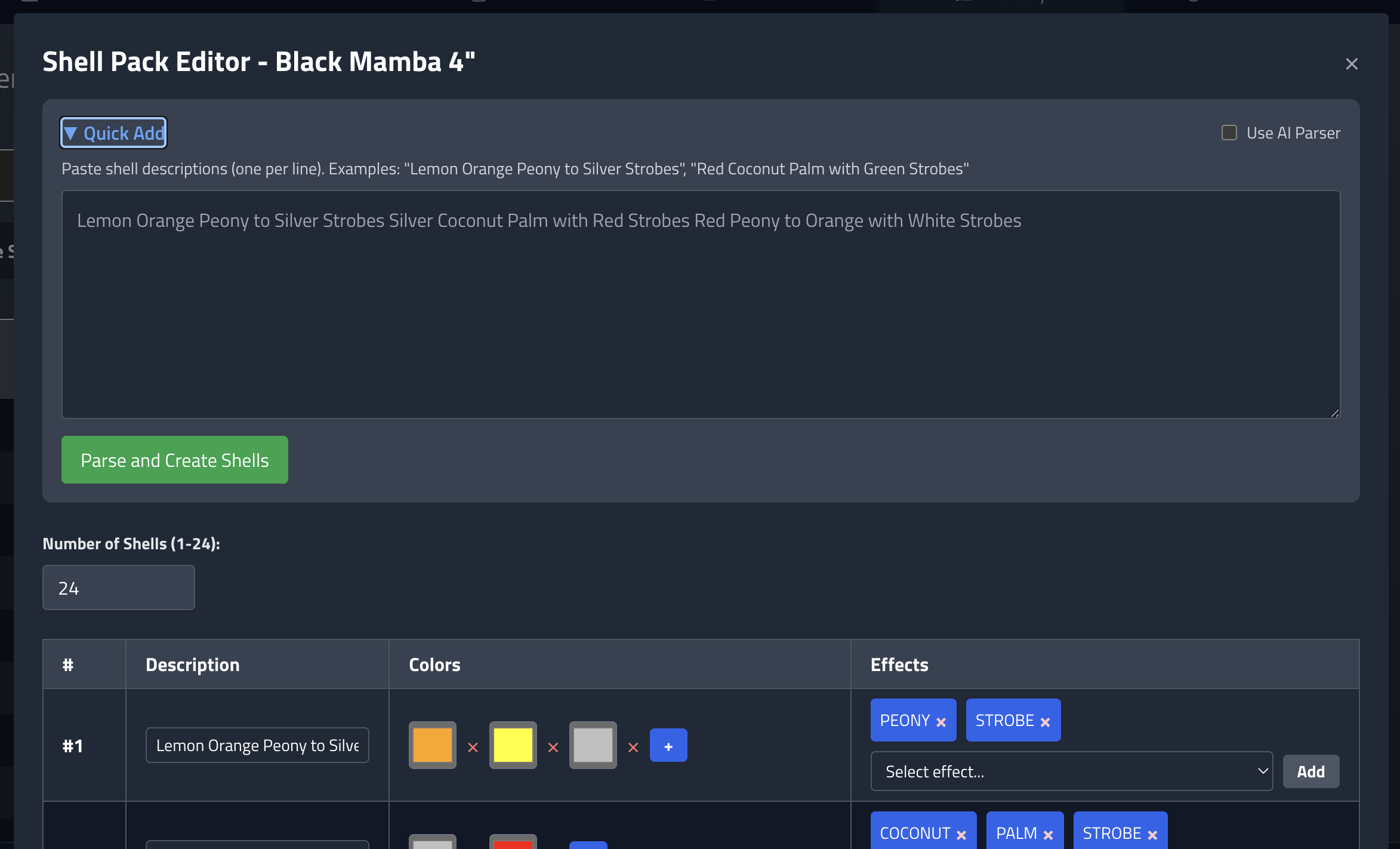
The parser can use an AI API to understand firework terminology - it knows that "lemon" means yellow, "silver coconut palm" has both a color and an effect, and "peony to strobes" means it changes from one effect to another. It's not perfect, but it gets you 95% of the way there and you can tweak the results. Way better than manually entering colors and effects for every shell. If you dont like that, it can just use simple word parsing.
Picking them is a lot easier. Filter by color, shell pack, or effect
Additionally, the loadout section clearly shows the fuse lengths we needed, how the racks should be loaded and fused, and what receiver/cue each run gets hooked up to.

YouTube Video Processing - Because Manual Entry Sucks
I've got a bunch of shells in my inventory, and I know what they do because I've seen videos of them. But manually entering firing profiles? That's a hard pass. So I built a system that crawls YouTube videos and extracts firing profiles automatically.
The system downloads the audio from YouTube videos, analyzes it for shot timings, and creates firing profiles. It uses audio analysis to detect when shots go off - filtering out lift charges by using thresholds based on the loudest sounds. You can even have it populate color information if the video description or metadata has that data.
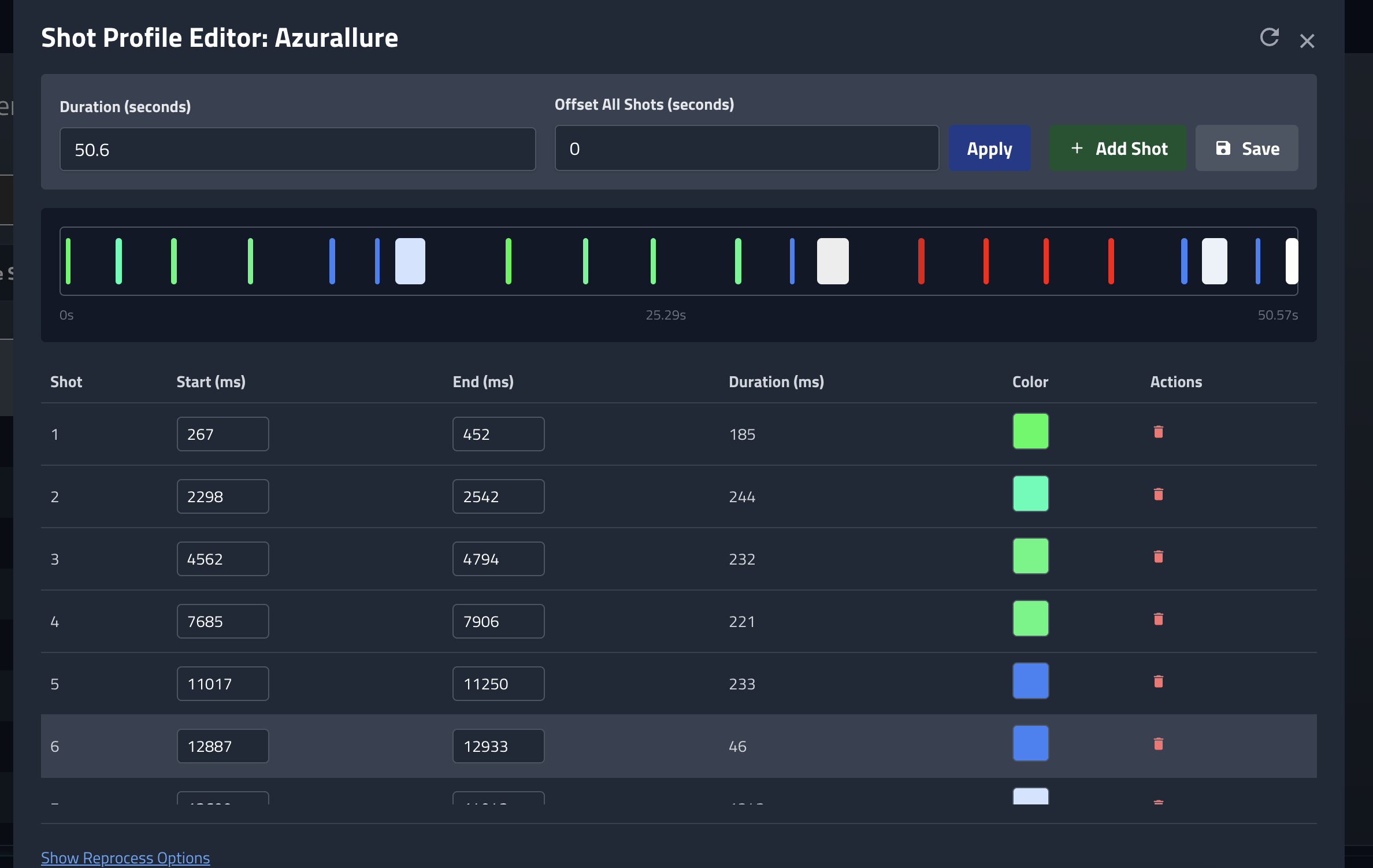
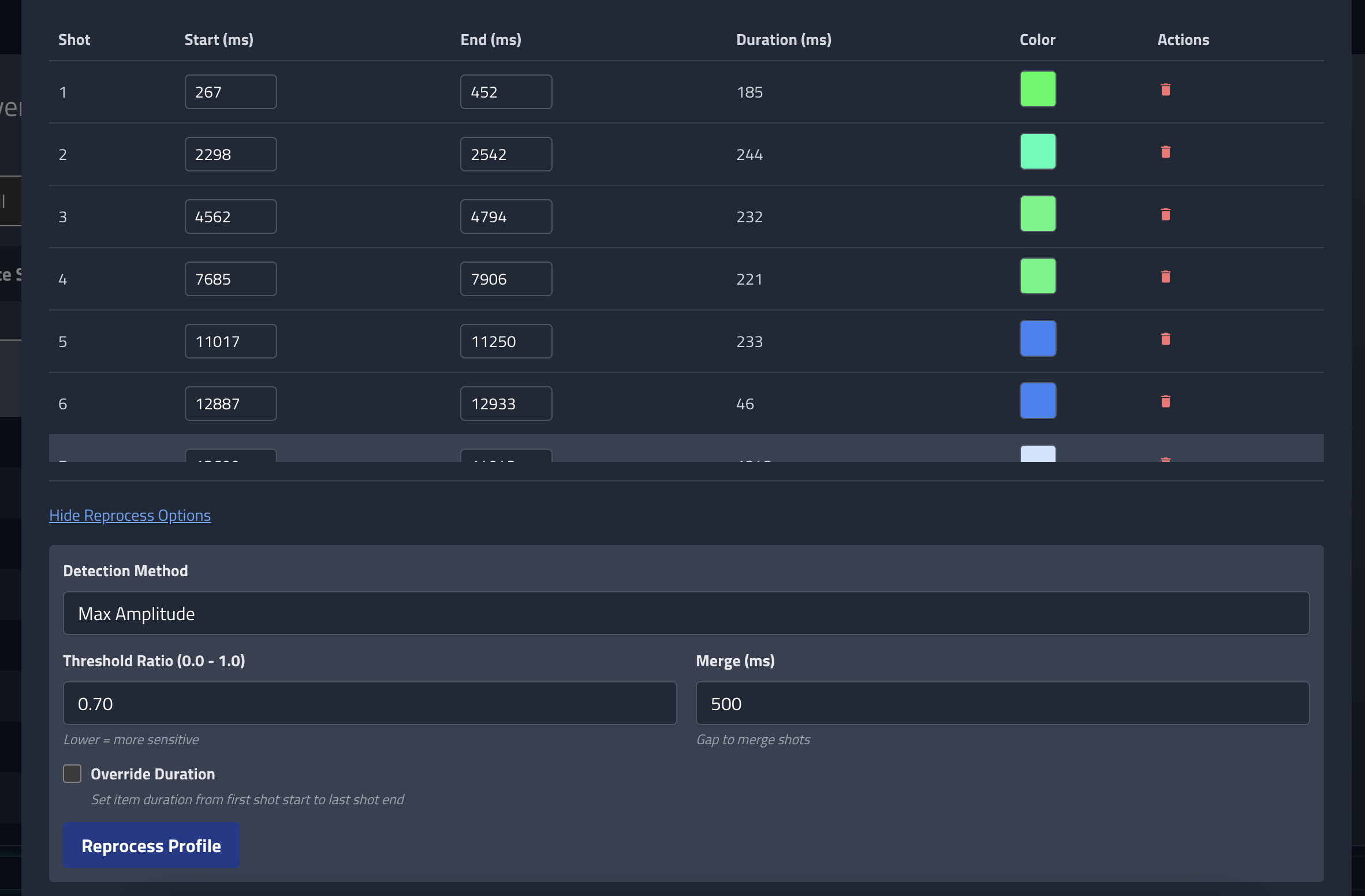
The processing happens in the background - you just paste a YouTube link and a start time, and it figures out the rest. It's not perfect (audio analysis is tricky), but it gets you 90% of the way there and you can tweak the results if needed. Way better than manually clicking through a timeline. The regeneration parameters can be tuned to give the shot count you expect to see.
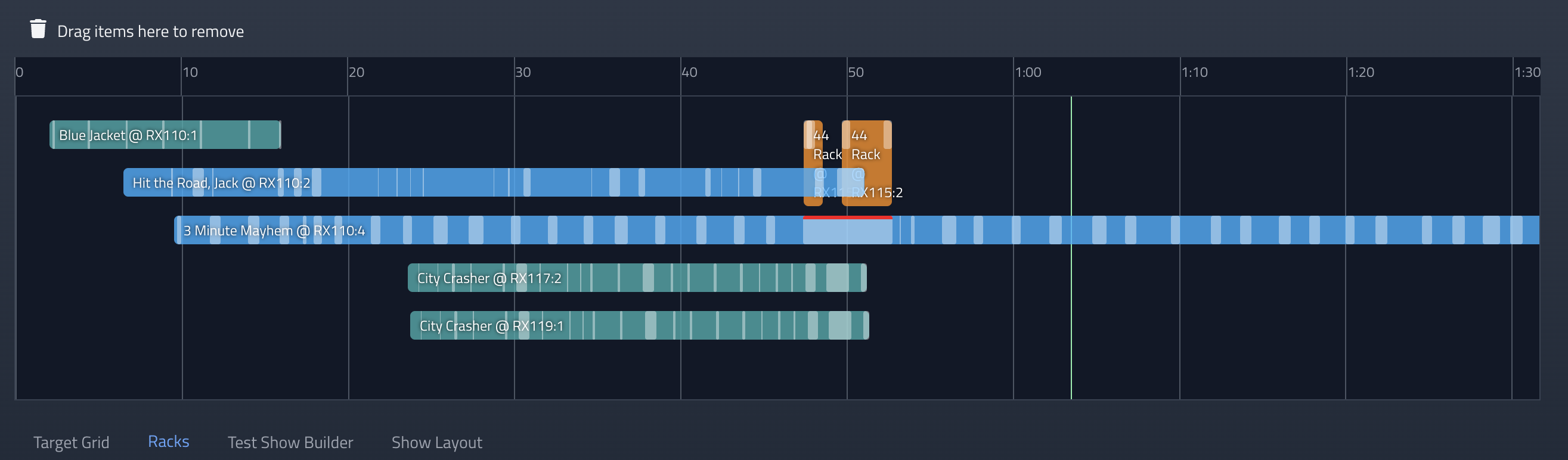
Once these are there, it makes it a lot easier to coordinate breaks on your timeline. You can annotate breaks with the colors, which appear on the timeline.

Receiver Telemetry - Actually Knowing What's Going On
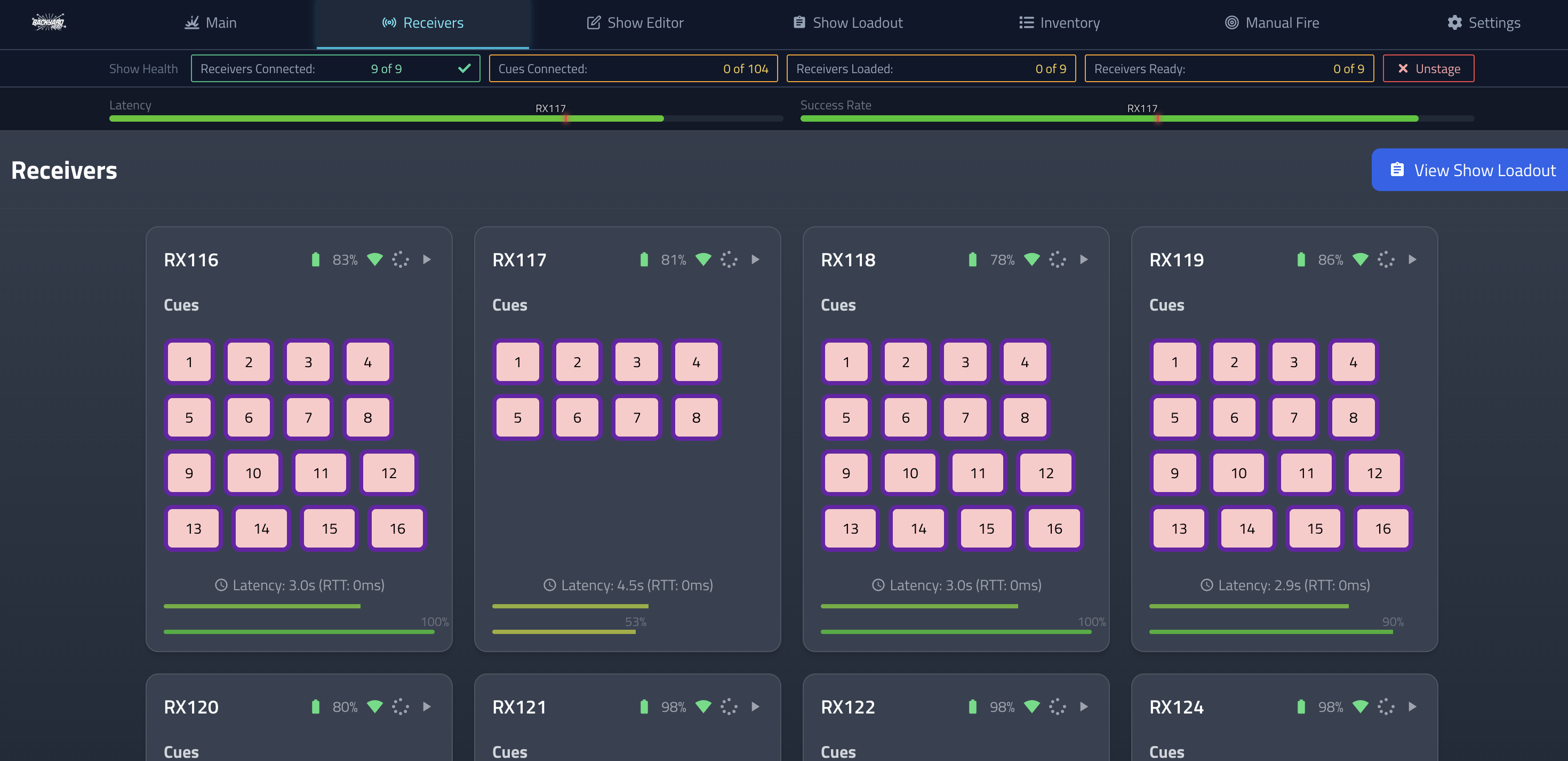
The receivers have always sent back status, but the UI wasn't really showing it in a useful way. Now you get real-time telemetry on everything:
- Ready count: How many receivers are actually ready to fire
- Latency: Round-trip communication time (with smoothing so it's not jumpy)
- Success percentage: How reliable the communication is with each receiver
- Battery levels: Obviously
- Continuity status: Per-cue feedback
Not only that, but there is an aggregate display up top that averages a 'system' health, showing a marker for the worst performing device so you know what to blame at a glance. There is also show-specific info that shows up and indicates how the receivers are moving through the show lifecycle.
The UI shows all this with visual health indicators. Green is good, yellow is concerning, red is bad. Simple. You can see at a glance if a receiver is having communication issues or if something's wrong with continuity.
Mesh Networking - Turns Out We Don't Need It
I originally designed the receivers with mesh networking in mind. The idea was that they'd relay messages to each other, extending range. But in practice? The direct range is already 1000+ yards, which is way more than I need. And mesh networking adds overhead - more complexity, more power consumption, more things that can go wrong.
So I ripped it out. The receivers now use raw point-to-point communication. It's simpler, more reliable, and the range is still excellent. Sometimes the simple solution is the right solution.
Pyromusical Support
I've been wanting to do music-synchronized shows for a while. The system now supports uploading audio files and syncing cues to the music timeline.
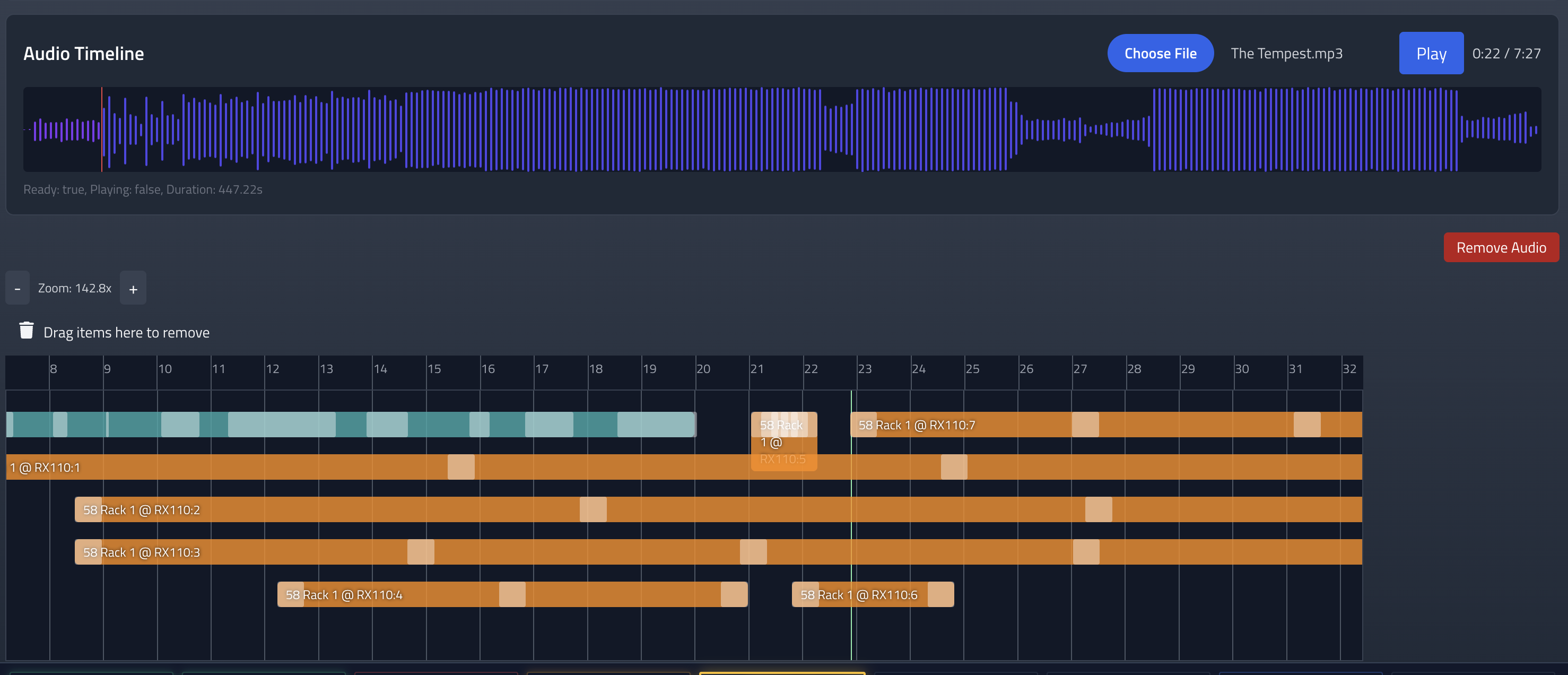
The timeline shows a waveform visualization, so you can see the music and place cues at the right moments. It's good enough. A future revision is treating a music track as another item in the timeline vs a separate timeline above.
Reliability Fixes - The Boring But Important Stuff
There were a bunch of edge cases and failure modes that I've been fixing:
- Better error recovery when receivers lose connection
- Improved retry logic for failed transmissions
- More robust clock synchronization
- Better handling of receiver state transitions
- Fixed various race conditions in the show loading/execution flow
None of this is exciting, but it's the difference between "works in testing" and "works when you actually need it to work." The system is way more resilient now.
UI Improvements
I've been cleaning up the UI in various places. The show builder is more intuitive, the receiver status displays are clearer, and the inventory management is less clunky. It's still not winning any awards, but it's functional and doesn't make me as sad.
What's Next?
NYE 2025-26 is gonna be fun.
As always, the code is open source. The hardware designs are available. If you want to build your own or contribute, go for it. Just don't be a dick about it.
